


Baby Piano: Kids Music Games
4.1185.00 Reviews
App Specs
- Version
- 3.20
- Updated On
- License
- Free
- Downloads
- 10,000,000+
- Developer
- Bimi Boo Kids Learning Games for Toddlers FZ-LLC
- Categories
- Music
- Platform
- Android, iOS
Screenshots
 Analysis by AppCompare
When a toddler gets hold of a phone, the first challenge is often less about choosing a song and more about keeping the experience simple, calm, and easy to supervise. Baby Piano: Kids Music Games is a music game for young children, but its appeal depends on how your child uses it: it can invite cheerful, hands-on sound exploration, while a small screen and an eager tapping style can also make play feel hectic. I’d treat it as a short shared activity rather than a substitute for a real instrument or a structured music lesson.
Where little users can get stuck
At first glance, the large, colorful controls seem straightforward for small fingers. That helps a child start tapping without needing to read, but it doesn’t guarantee that every screen or activity will be equally clear to a first-time user. A toddler may tap quickly, move away from a sound they enjoy, or expect an instrument to respond in a particular way. Sitting nearby for the first few sessions lets you see what holds their attention and step in if they lose track of what they were doing.
There is also a difference between making noise and exploring music. Children may enjoy rapid tapping more than listening for patterns, especially when the screen is bright and animated. I’d try a simple prompt—“Can you play that sound again?” or “Let’s take turns”—to make the interaction more deliberate without turning it into a lesson. If your child is already frustrated, a pause is usually more useful than trying to guide every tap.
Setup checks before handing over the phone
Before a child starts, I’d open the game myself and look through the available screens. That quick check can help you understand where a child might tap next and whether you want to stay close while they explore. It also gives you a chance to check the device’s sound level and choose a comfortable setting before a burst of enthusiastic playing begins.
It is a free game, though in-app purchases are available, with items priced from $1.99 to $3.99. I’d review the purchase settings on the device before handing it over, particularly if a child can navigate menus independently. This is a practical precaution for any child-focused app with purchases; it doesn’t require assuming that a purchase prompt will appear during a particular activity.
The game is rated Everyone and is made by Bimi Boo Kids Learning Games for Toddlers FZ-LLC. It is listed as version 3.16, with Android support starting at version 7.0. Those details make it easier to check whether the app fits a particular Android device, while the age rating is a broad content guide rather than a promise that every toddler will enjoy the same amount of screen time.
A closer look at play, sound, and fit
I’ll look at how the game’s sound-led play differs from a lesson app or a passive video, and why that distinction matters when choosing something for a toddler. I’d also use a brief, shared session to see whether a child is responding to the music or mainly to tapping and animation; that makes it easier to decide what kind of activity to try next.
Worth Reading Before You Choose

EA SPORTS FC Mobile 26 Is a Bigger Football Game, but It Takes Time

Flipboard Shows What News Apps Must Do Beyond the Feed

Switching to Android Auto Means Rethinking Your Driving Routine

Google Calendar Makes a Crowded Week Easier to Manage

Ludo King Makes the Most of the Minutes Between Plans

Baby Panda World Brings Quick Play to Modern Phones, but Its Game Library Feels Busy
A hands-on music game, not a lesson plan
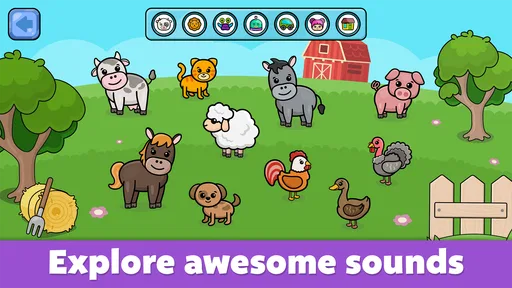
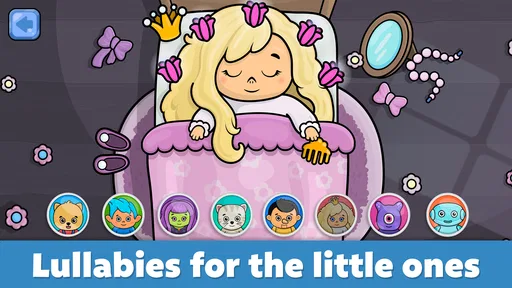
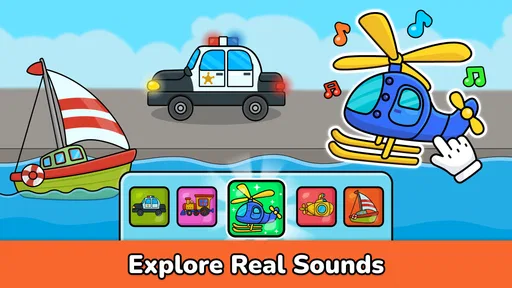
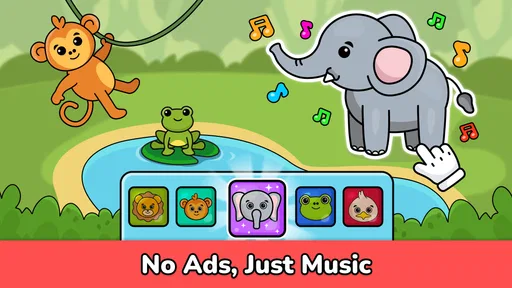
What makes this game useful is the low barrier to trying sounds. Rather than asking a young child to learn notation or follow formal instructions, it gives them a playful place to tap and listen. The store describes animal sounds, nursery rhymes, songs, and games for toddlers, so the experience is aimed at early, informal exploration. I’d expect it to work best when an adult treats it as a conversation starter: listen together, name a sound, and let the child choose what to try next.
The app sits between a toy piano and a children’s music video. Compared with a passive video, tapping gives a child some control over what they hear; compared with a physical keyboard, it is easier to carry around but offers less tactile feedback and no real keys to press. That trade-off matters. If your goal is simply to share a short musical moment while waiting somewhere, a phone game can be convenient. If you want a child to build finger control on an instrument, a small physical keyboard is the more direct choice.
Making a short session work in real life
One realistic use is a few minutes of shared play while waiting for food or for another family member to get ready. I’d open the app first, choose a comfortable volume, and let the child explore while I stay close enough to help them return to an activity if they wander through the screens. A clear ending helps too: agree on one last song or round before putting the device away. That makes the game easier to fit into a routine than handing over a phone with no stopping point.
Another useful approach is to use the game as a bridge to sounds outside the screen. If a child taps a pattern they like, repeat it together by clapping, tapping a table gently, or singing it back. This keeps the focus on listening and turn-taking rather than treating the app as a reward that must keep supplying new stimulation. It also helps you judge whether the child is interested in music itself or mainly in the movement and color on the display.
For a very young child, I’d keep the phone in an adult’s hands or place it on a stable surface rather than expecting tiny fingers to manage every transition. That is not a special feature of this game; it is simply a sensible way to make touchscreen play less frustrating and reduce accidental navigation. If the child becomes absorbed in repeated tapping, switching to a quick real-world activity—clapping a beat or singing a familiar rhyme—can create a natural break.
What the ratings and audience suggest
The game has a 4.2 average from around 21,000 ratings and has passed 10 million installs. Those figures suggest that many families have tried it, but they can’t tell you whether its sound style, pacing, or screen interactions will suit your child. I’d use them as a sign that it is an established option in toddler music games, not as a guarantee of an ideal fit.
Its music category is a better match for parents looking for approachable sound play than for children ready for structured instruction. A child who wants to recognize notes, follow a lesson sequence, or practice a particular instrument may quickly outgrow this style of activity. In that case, a beginner music-learning app or a real instrument with adult guidance will be more purposeful. On the other hand, a toddler who likes songs, sounds, and simple tapping may find a formal lesson app too demanding.
When the app may not be the cause of a problem
If sound seems unavailable or the game does not behave as expected, I’d first check the device’s volume and whether another audio source is currently playing. Then I’d close and reopen the game, and check that the device’s operating system meets the listed Android minimum if using Android. These are general checks, not a guarantee that they resolve every issue, but they help separate a basic device setting from a problem with the game itself.
It is also worth considering the surroundings. A noisy room can make sound play seem less engaging, while a child who is tired or overstimulated may reject even a familiar activity. I wouldn’t interpret one short, unsuccessful session as proof that the game is unsuitable. Try again at a calmer moment, or choose a song together away from the screen. If the same technical problem continues after ordinary device checks, it may need help through the app’s support channels rather than more tapping or repeated attempts by a toddler.
Practical limits parents should weigh
The bright presentation and quick response can be appealing, but those same qualities may encourage longer play than a parent intended. I’d set a stopping point before opening the game and keep the activity short enough that it remains one part of the day, not the default answer whenever a child is bored. The app is best used with a little adult involvement, particularly at first, rather than treated as a fully self-managing activity.
Another consideration is the difference between musical variety and musical depth. A collection of sounds can spark curiosity, but tapping an on-screen instrument does not automatically teach rhythm, listening habits, or how to play an instrument. Children learn more when someone listens with them and responds to what they try. If you want an app to provide a carefully graduated course, this is not the kind of experience I’d choose on the basis of its toddler-focused music play alone.
The game was released on August 5, 2015, and its current version is 3.16. That history makes it a longstanding choice rather than a brand-new experiment, but I would still assess it on the device you plan to use and the child’s actual reaction. It is available for Android and iOS, and the Android minimum is version 7.0. For a household with more than one device, checking compatibility and purchase settings on the intended device is more useful than assuming every phone or tablet will behave identically.
Who is likely to enjoy it—and who should look elsewhere
I can see this working well for caregivers who want an easy way to introduce a toddler to musical sounds without asking them to read or follow a lesson. It may suit a child who enjoys pressing buttons, hearing different sounds, and sharing short activities with an adult. The strongest use case is casual exploration: a few minutes of play, a bit of singing together, then a return to toys, books, or ordinary family routines.
I’d skip it if you are looking for a serious piano tutor, a quiet activity with no screen, or a game that a child can use for a long stretch without adult attention. A physical toy instrument is better when touch and movement matter most; a music lesson is better when progress and technique are the goal. And if your child is sensitive to bright animation or becomes unsettled by lively sound, a calmer audio activity—or simply singing without a phone—may be a better fit.
Design and User Interface
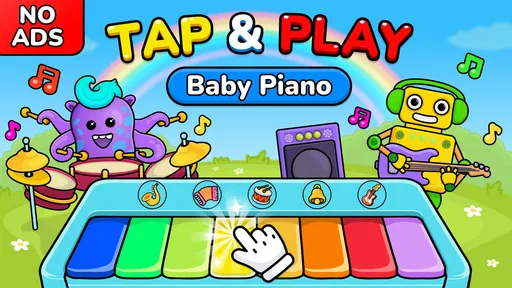
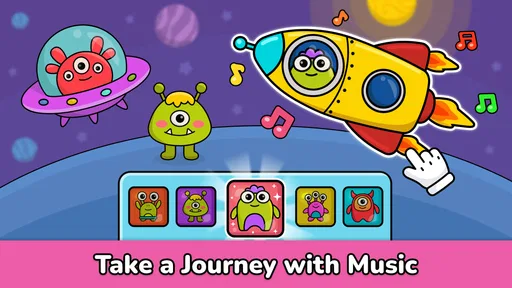
The app’s design is as cheerful as a sunny morning. The user interface is intuitive, which is crucial because you know how impatient kids can be! The icons are big, bold, and easy to tap, making navigation a breeze for tiny fingers. I found the overall layout to be very kid-friendly, and it didn’t take long for me—or rather, my pint-sized tester—to get the hang of it.
Musical Instruments Galore
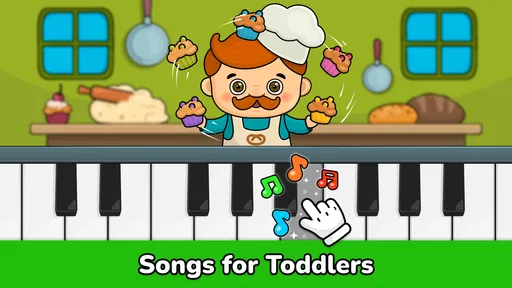
One of the standout features of this app is its wide selection of musical instruments. From pianos and drums to xylophones and guitars, it’s like having a mini orchestra at your fingertips. Each instrument sounds surprisingly authentic, and the app allows kids to explore different sounds by simply tapping away. It’s a fantastic way for children to familiarize themselves with various musical tones and rhythms.
Fun and Educational Games
Now, this is where the app really shines. It’s not just about tapping on virtual pianos—it’s packed with educational games that teach basic music concepts. There are games that help with note recognition, rhythm, and even memory skills. These games are cleverly disguised as fun challenges, so kids don’t even realize they’re learning while they play. Sneaky and smart, right?
Parental Controls
Let’s talk about something that makes parents breathe a sigh of relief—parental controls. The app offers features that allow you to manage screen time and set limits on how long your child can play. Plus, it’s ad-free, which means no pesky interruptions when your little one is in the middle of a jam session. It’s like the developers thought of everything!
Audio and Visual Experience
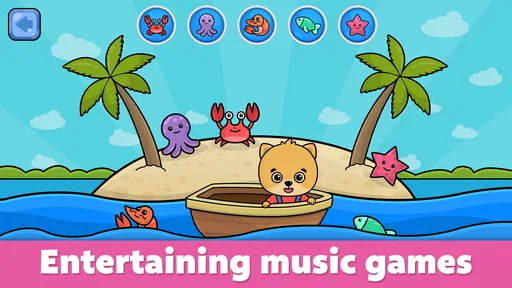
When it comes to sound and visuals, the app doesn’t disappoint. The audio quality is top-notch, and the sounds are crisp and clear. The visuals are vibrant and engaging, ensuring that the app captures and holds your child's attention. It’s like watching a colorful cartoon come to life with the added bonus of music.
My practical verdict
So, what’s the verdict on Baby Piano: Kids Music Games? In my opinion, it’s a fantastic app for young children to explore music in a fun and interactive way. It’s not just about keeping them entertained; it’s about giving them a head start in musical education. The combination of playful design, educational content, and user-friendly interface makes it a hit in my book.
If you’re ready to let your little ones embark on a musical journey, you might want to give this app a go. It’s available for download on both Android and iOS, so why not check it out? Who knows, you might just have the next musical prodigy on your hands!
Pros
- Engaging colorful interface for children.
- Wide variety of musical instruments.
- Easy-to-use controls for toddlers.
- Stimulates auditory and visual senses.
- Promotes early music education.
Cons
- Limited to basic musical notes.
- Ads can interrupt playtime.
- Requires in-app purchases for full access.
- Lacks parental control options.
- No offline play mode available.
FAQs for Baby Piano: Kids Music Games
What age group is Baby Piano: Kids Music Games suitable for?
Baby Piano: Kids Music Games is designed for children aged 1 to 5 years. It offers an engaging and educational experience for toddlers, helping them to develop their musical skills, hand-eye coordination, and creativity. The app provides a safe and colorful environment that keeps young children entertained while they learn.
Does Baby Piano: Kids Music Games require an internet connection?
No, Baby Piano: Kids Music Games does not require an internet connection to function. Once downloaded and installed, your child can enjoy all the musical features and games offline, making it convenient for use during travel or in areas with limited connectivity.
Are there in-app purchases in Baby Piano: Kids Music Games?
Yes, Baby Piano: Kids Music Games offers in-app purchases. While the app is free to download, some additional features, games, or songs may require purchasing. It’s advisable to manage your device’s settings to prevent unauthorized purchases by children.
Is Baby Piano: Kids Music Games available on both Android and iOS?
Yes, Baby Piano: Kids Music Games is available for download on both Android and iOS platforms. You can find it on the Google Play Store for Android devices and the Apple App Store for iOS devices, providing accessibility for users across multiple devices.
What features does Baby Piano: Kids Music Games offer?
Baby Piano: Kids Music Games features a variety of musical instruments, including a piano, xylophone, and drums. It offers interactive games and songs that help children learn about music and rhythm. The app also includes colorful graphics and animations to enhance the learning experience.


